ABCKidsTv - Tracing & phonics
- 3.7
- Rating
- 50.00K
- Installs
- Free
- Price
 Analysis by App-foxy
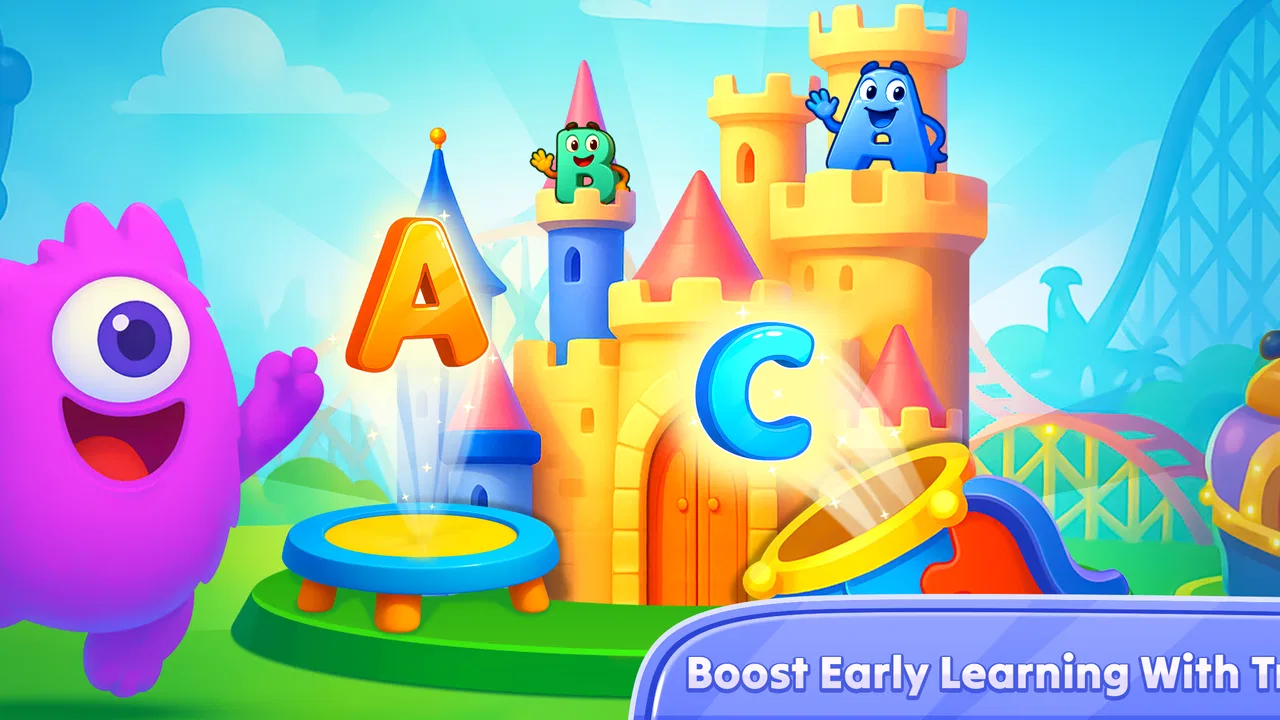
ABCKidsTv - Tracing & phonics is a free educational game from Craox Technologies LLP aimed at toddlers and young children. I approached it as a short, hands-on learning tool rather than a full preschool curriculum, and that distinction matters. Its focus is early practice: tracing letters, connecting sounds with letters, counting from one to one hundred, and meeting a vocabulary set built around one hundred and four words. The activities are simple enough for a child to explore with limited help, while still giving a parent something concrete to practise together.
My first impression is that the game works best in small sessions. A child can open it for a few minutes while waiting at a restaurant, during a quiet afternoon at home, or as a gentle transition before bedtime. It is not the kind of app I would leave running as a substitute for conversation, books, or hands-on play. Instead, I see it as a digital workbook with a more inviting surface: useful when a child needs repetition, but most effective when an adult occasionally joins in and turns the screen activity into a real-world lesson.
What the learning experience is really like
The strongest part of the concept is its combination of tracing and phonics. Tracing gives a child a physical action to perform on the screen, while phonics gives that action a sound-related purpose. When those two ideas are used together, a letter is not just a shape to copy. It becomes something the child can look at, say, and later recognize in a word. That makes the app more purposeful than a collection of unrelated mini-games.
You May Also Like

 Blood Strike: 2.5 Anniversary
Blood Strike’s Loadouts Turn Every Drop Into a Tactical Gamble
A close look at Blood Strike’s custom loadouts: how fast access to signature weapons reshapes its battle royale rhythm, rewards preparation, and narrows the gap between fights.

 Pandora - Music & Podcasts
Pandora’s Music Is Easy to Start, but Harder to Recover
Pandora’s strength is its low-effort path from a seed to a station. Its weak spot is how much confidence it asks you to place in connection, setup, and quiet recovery.

 8 Ball Pool
 Is Built on Rivalries, Rematches, and Routine
A close look at the rivalries, rematches, shared routines, and unanswered safety questions that turn a quick pool match into a persistent mobile community.

 Samsung Music
’s Quiet Strength Is Playing What You Already Own
Its reach comes less from spectacle than from dependable access to a personal library. That simplicity is both the app’s strongest retention engine and its ceiling.

 AccuWeather: Weather Radar
AccuWeather Review: A Quick, Clear Forecast for Everyday Decisions
For everyday plans, the best forecast is the one you can understand quickly. AccuWeather makes rain timing, radar, and local conditions easy to act on, with a few trade-offs.

 Hill Climb Racing
Why Hill Climb Racing Still Turns Crashes Into One More Run
A tiny car, a bumpy hill and one more upgrade: Hill Climb Racing keeps resurfacing because its simple chaos makes every near-miss feel personal.
More From Our News Desk
View All News


I also like the inclusion of counting through one hundred. Early learners often need repeated exposure to number order, and a counting activity can be easier to revisit than a paper worksheet. The word section adds another layer by giving children a chance to encounter vocabulary beyond isolated letters. In practice, I would use the sections differently: tracing for hand control and letter familiarity, phonics for sound awareness, counting for sequence practice, and the words as prompts for speaking and recognition.
The app is listed as suitable for Everyone, which fits its gentle educational positioning. That does not mean every child will find every activity equally easy. A toddler who is still developing finger control may swipe outside a tracing path, while an older preschooler may move quickly through the introductory material. Parents should judge the child’s readiness by attention span and motor control rather than by age alone.
One useful routine is to avoid opening every activity in the same session. I would choose one letter exercise, then ask the child to find that letter on a cereal box, a book cover, or a nearby sign. On another day, I would use counting and then count toys or steps together. This prevents the app from becoming a closed loop in which the child only learns how to complete the screen task. The best results come when each digital activity leads to something away from the device.
Tracing is more valuable when the adult changes the prompt
A small but important advantage of tracing activities is that they give parents a natural opening for questions. Instead of saying only “finish the letter,” I would ask the child to name it, make its sound, or think of a familiar object beginning with it. If the child is struggling, I would first model the movement slowly and then let the child try again. This turns the app from a passive reward machine into a short guided exercise.
There is also a practical trade-off here. On a touchscreen, tracing is convenient, but it does not provide the same resistance or tactile feedback as a pencil, crayon, or textured letter card. A child may learn the general direction of a letter without developing the same control needed for handwriting. I would therefore follow a screen session with paper practice, especially once the child starts showing interest in writing independently.
The phonics element can be useful for sound recognition, but parents should listen to how the child is using it. Repeating a sound mechanically is not the same as understanding it. After a letter sound, I would ask the child to identify another word that begins similarly, even if the answer is imperfect. That extra conversation helps reveal whether the child is connecting sound and meaning or simply tapping through a sequence.
Counting needs active participation
The counting range is broad enough to support progression from very early number practice into longer sequences. Still, simply hearing or seeing numbers in order can create an illusion of mastery. I would pause regularly and ask the child to continue from a number rather than always starting at the beginning. Counting physical objects is even better, because it links number words to quantity.
For example, after using the counting activity, I might place several blocks on the floor and ask the child to touch each one while counting. Later, I could remove one block and ask what changed. The app supplies repetition, but the parent supplies the comparison and reasoning. This is one of the clearest situations where the game is helpful without being sufficient on its own.
The vocabulary material can be used in a similar way. Rather than treating the words as a memorization list, I would ask the child to describe an object, point to something with a similar color or shape, or use the word in a short sentence. Children vary widely in language development, so the goal should be participation rather than perfect pronunciation on the first attempt.
Spending, progress, and pressure
The game can be installed for free, but it includes in-app purchases priced from $3.99 to $59.99 per item. That is the most important spending detail for a parent deciding whether to try it. The range is wide, so I would not assume that installing the free version tells the whole story of the eventual cost. Before handing the device to a child, I would check what is available without payment and review the purchase controls on the device.
I appreciate that the purchase context is visible rather than hidden behind vague language. At the same time, a broad item range means families should make their own decision about value instead of treating every paid option as necessary. If the free portion already fits a child’s needs, there is no reason to buy immediately. I would first observe whether the child returns voluntarily, whether the activities hold attention, and whether the learning transfers into offline practice.
For families considering a purchase, I would use a simple test: does the paid content solve a clear problem? If a child is enjoying tracing but needs more structured letter repetition, additional material may be worthwhile. If the child is only tapping quickly to reach the next screen, spending more is unlikely to fix the underlying issue. Paying should expand a useful routine, not rescue an ineffective one.
Progress also deserves a realistic discussion. Early-learning apps can make children feel successful because the tasks are short and visually clear, but that success can become shallow if the child is praised only for speed. I would praise careful tracing, trying again, saying a sound clearly, or counting objects accurately. Those are better signals of learning than simply reaching the end of an activity.
The app is not a good fit for a household that wants a highly competitive experience with rankings, timed challenges, or constant achievement pressure. I see its educational value in repetition and confidence, not in pushing children to outperform one another. That is a positive for younger users, particularly those who become frustrated by timers, but it may feel limited to children who already expect a more game-like reward structure.
Is it fair compared with other early-learning choices?
Compared with a traditional alphabet video, this game asks the child to do more than watch. Tracing and counting require a response, which gives the parent a better chance to notice whether the child is engaged. Compared with paper worksheets, it is more immediately inviting and easier to repeat without printing, but it offers less physical feedback and may encourage screen dependence if used too often.
Compared with a broad preschool learning platform, ABCKidsTv appears more focused around its core set of early skills. That focus can be an advantage for a child who needs a straightforward starting point. A larger platform may be better for families seeking reading stories, creative activities, broader mathematics, or a more extensive progression across subjects. I would choose this game when simplicity is the priority, not when I want one application to cover every part of early education.
Its competitive fairness is also relatively easy to understand from a learning perspective. The activities are not about beating another player, and the educational goal does not depend on spending more than another family. The financial question is separate: because optional items can reach a higher price point, parents need to decide whether the extra material offers enough practical value for their child. That is a household budget decision, not a skill advantage within a contest.
One non-obvious trade-off is that a focused app can be easier for a parent to supervise than a large bundle. If a child opens a broad platform, it may be harder to tell whether they are practising letters or wandering among unrelated activities. Here, the central themes make it simpler to set a specific goal: five minutes of tracing, a short counting exercise, or a few vocabulary prompts. The limitation is that the child may outgrow that narrow focus sooner.
A realistic daily routine
Imagine a preschooler who is waiting while a parent prepares dinner. I would open the game with a clear boundary: one tracing activity followed by counting a small group of kitchen-safe objects together. After the screen session, the child could help count spoons or identify a letter on a food package. This takes the app’s strongest elements and prevents the phone from becoming the entire activity.
For a child who resists writing, I would begin with sound and recognition rather than demanding perfect tracing. Once the child shows interest in a particular letter, I would return to its tracing path and then draw it on paper. For a child who already knows many letters, I would spend less time repeating familiar shapes and more time using the word material as a conversation starter. The same app can therefore serve different children, but only if the adult adjusts the goal.
I would also avoid using it as a bargaining tool for every routine. If the game becomes the reward for eating, dressing, or staying quiet, the educational purpose can disappear behind the promise of screen time. A predictable, limited schedule works better: the child knows when it is available, and the parent can stop without turning every session into a negotiation.
What parents should check before relying on it
The current version is 11.11.0, and the listed minimum operating system is Android 7.1. That makes device compatibility worth checking before installation, particularly on an older tablet. A technically compatible device may still be inconvenient if the screen is small, the touch response is inconsistent, or the child has to share it with other family members. For tracing, screen size and responsiveness affect the experience more than they would for a simple video.
I would also set up the device before giving it to a child. Disable easy access to payment screens where possible, keep the device within reach during the first sessions, and check that the child can return to the intended activity without opening unrelated content. These are sensible precautions whenever a young child uses a free app with optional purchases, and they are especially important here because the purchase range extends from a low-cost item to a much more substantial one.
There are some practical unknowns that I would not fill in with assumptions. The store-facing material identifies the learning subjects and purchase range, but a parent should personally inspect the available activities, how progression is presented, and whether the free experience matches the child’s level. That quick inspection is more useful than relying on the app’s broad educational label. A toddler beginning letter recognition and an older child practising independent reading may both see the same title, but they will not need the same depth.
The public response is mixed rather than overwhelming: the game has an average rating of 3.7 from around two hundred ratings, with six written reviews shown. I treat that as a reason to try the free experience carefully, not as a final verdict. A small review sample can reflect very different expectations, and parents often judge a preschool app by factors such as ease of use, child interest, and purchase handling rather than by learning content alone.
The game has passed fifty thousand installs, which suggests that it has reached a meaningful number of families, but popularity is not proof that it suits a particular child. I would give more weight to whether the child can use the tracing paths comfortably, whether the sound activities encourage speech, and whether the counting practice leads to better confidence with real objects.
Who should choose it, and who should skip it?
I would recommend trying it for a toddler or preschooler who benefits from short, repeated practice with letters, sounds, basic counting, and familiar vocabulary. It is especially suitable for parents who want a simple activity to accompany offline learning rather than a complicated educational suite. The Everyone age rating also makes it approachable for a family device shared by young children, provided an adult manages access and spending.
I would be more cautious if the child needs advanced reading instruction, detailed handwriting correction, or a complete school-readiness program. The game’s central skills are foundational, so a child already comfortable with them may need richer stories, sentence work, or more challenging problem-solving elsewhere. It is also not the right choice for families trying to remove screens entirely, since its value depends on interactive device use rather than physical materials.
Another reason to skip it is a child’s particular learning style. Some children enjoy repeating a guided path on a screen; others learn better by moving, touching objects, singing, or listening to a parent read. If a child becomes upset by inaccurate tracing or quickly loses interest in tapping activities, forcing more sessions will not make the app educationally effective. In that case, letter cards, magnetic pieces, blocks, and shared books may be better alternatives.
My trust verdict after weighing the trade-offs
ABCKidsTv - Tracing & phonics earns my cautious recommendation as a focused early-learning game, not as a replacement for teaching. Its free entry point makes it reasonable to test, and the combination of tracing, phonics, counting, and vocabulary gives parents several ways to build a short routine. Craox Technologies LLP has kept the concept centered on skills that make sense for young learners, which is more useful than adding unrelated distractions.
My main reservation is not the educational idea but the need for active supervision. Touchscreen tracing is not handwriting practice by itself, number sequences are not the same as quantity understanding, and vocabulary recognition grows faster when adults talk with children. The in-app purchase range also means I would review the free material first and protect the device’s purchase settings before letting a child explore alone.
If you want a low-pressure way to introduce early letters and numbers, I think this game is worth a careful trial. Use it for a defined purpose, connect each session to an offline activity, and judge progress by what the child can say, recognize, and do away from the screen. That approach makes the app’s strengths clearer while keeping its limitations in view. My final view is simple: it is a useful practice companion when a parent stays involved, but it should remain one small tool in a much larger learning routine.
FAQs for ABCKidsTv - Tracing & phonics
01What is ABCKidsTv - Tracing & Phonics, and who is it designed for?
ABCKidsTv - Tracing & Phonics is an educational app aimed primarily at preschoolers and young children who are beginning to learn letters, sounds, and early writing skills. It combines alphabet practice with phonics-focused activities, helping children recognize letters, associate them with sounds, and trace basic letter shapes. Parents should still choose activities according to the child’s age, attention span, and current learning level.
02What learning activities are included in ABCKidsTv - Tracing & Phonics?
The app generally focuses on interactive alphabet learning, including letter recognition, phonics practice, and tracing exercises. Children can practice following letter outlines while receiving visual or audio guidance, which may help develop early handwriting familiarity and sound recognition. The experience is designed to be simple and colorful, although the exact activities, available letters, and lesson options may vary depending on the version installed and the device platform.
03Is ABCKidsTv - Tracing & Phonics suitable for children who cannot read yet?
Yes, the app is intended for early learners and can be used by children who are still developing basic reading skills. Audio cues, visual demonstrations, and repeatable tracing tasks can make the content accessible before a child can read instructions independently. However, younger children may need an adult nearby to explain activities, encourage correct letter formation, and help them move between sections without accidentally changing settings or leaving the lesson.
04Does ABCKidsTv - Tracing & Phonics require an internet connection or include advertisements?
The need for an internet connection and the presence of advertising can depend on the app version, operating system, and how its content is delivered. Some educational apps allow certain lessons to work offline after installation, while videos or additional resources may require connectivity. Before handing the device to a child, parents should review the store listing, in-app settings, privacy information, and any advertising or purchase disclosures.
05Is ABCKidsTv - Tracing & Phonics enough to teach a child reading and handwriting?
ABCKidsTv - Tracing & Phonics can be a useful supplementary tool, but it should not be treated as a complete reading or handwriting curriculum. Short, repeated practice may reinforce letter recognition, phonics awareness, and familiarity with writing movements, while adult guidance can correct mistakes and maintain motivation. For stronger progress, combine the app with books, spoken-sound games, drawing, pencil practice, and age-appropriate activities away from the screen.
Pros
- Clear tracing guides help children practice letter formation independently.
- Phonics activities support early sound recognition and pronunciation skills.
- Bright visuals and simple controls are suitable for preschool learners.
- Short activities make it easy to fit learning into daily routines.
- Works well as a screen-based supplement to parent-led reading practice.
Cons
- Some children may find the activities repetitive after extended use.
- Progress tracking and parental controls may feel limited.
- The app may provide less value once basic letters are mastered.
- Audio quality and pronunciation can vary by device or language setting.
- Younger children may still need supervision to stay focused and use it correctly.

ABCKidsTv - Tracing & phonics
Gallery